

 thinktext
Free · by thinkjoin
Every message.
Saved, sorted, searchable.
thinktext saves a whole conversation from Messages, every word, photo and reaction. It sorts it by date and by what you talked about. Read it, search it, copy it, keep it. Nothing ever leaves your devices.
iPhone opens on TestFlight soonMac is signed and notarized by Apple, so it opens with one click. iPhone installs through Apple's free TestFlight app. Works on iPhone XS and newer, and on Macs with macOS 14 or later.
How it works
Three steps. That's it.
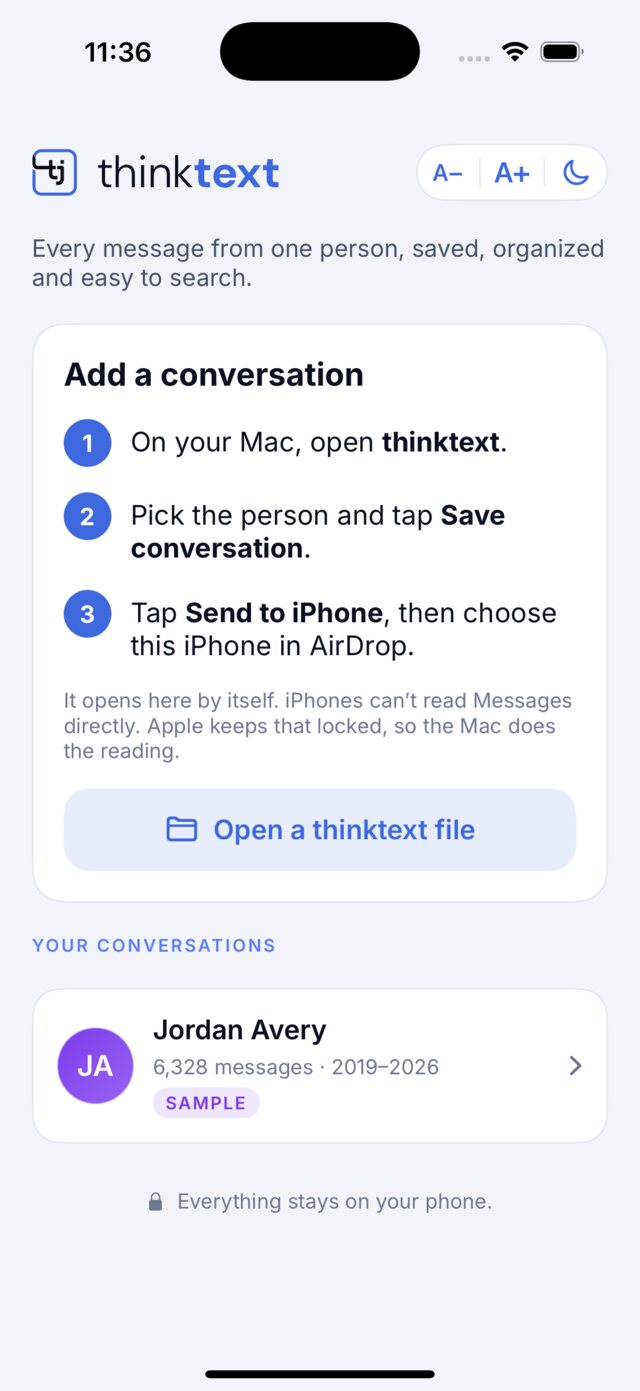
Your Mac already keeps your iPhone's messages. thinktext reads them there, sorts them, and sends the conversation to your iPhone.
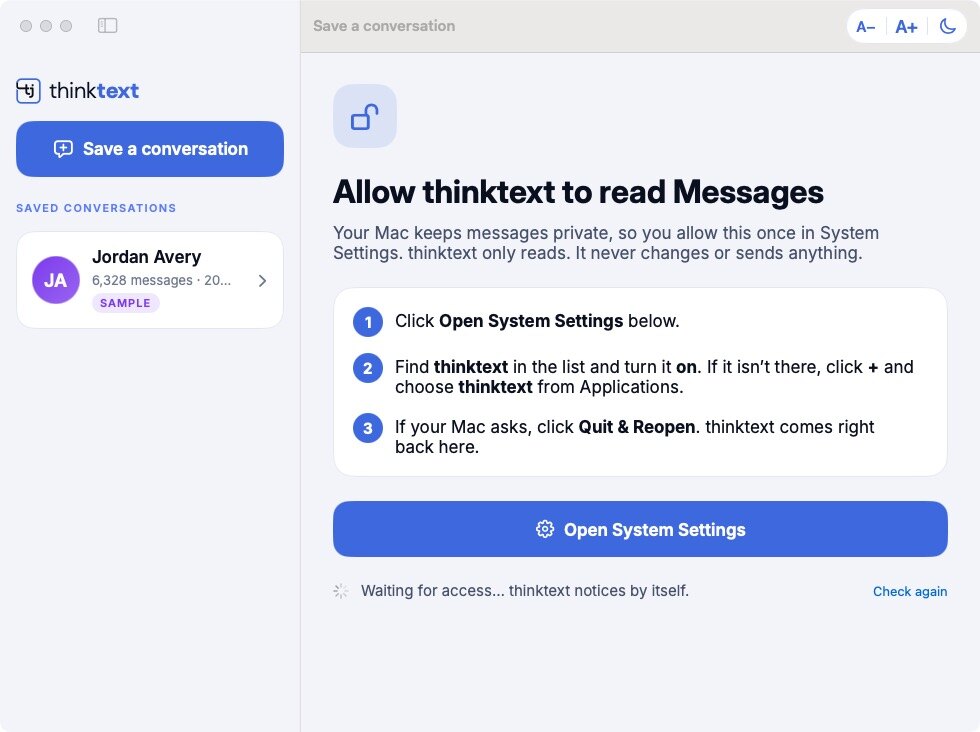
Allow it once on your Mac
thinktext walks you to one switch in System Settings. It only reads. It never changes or sends anything.
Pick the person
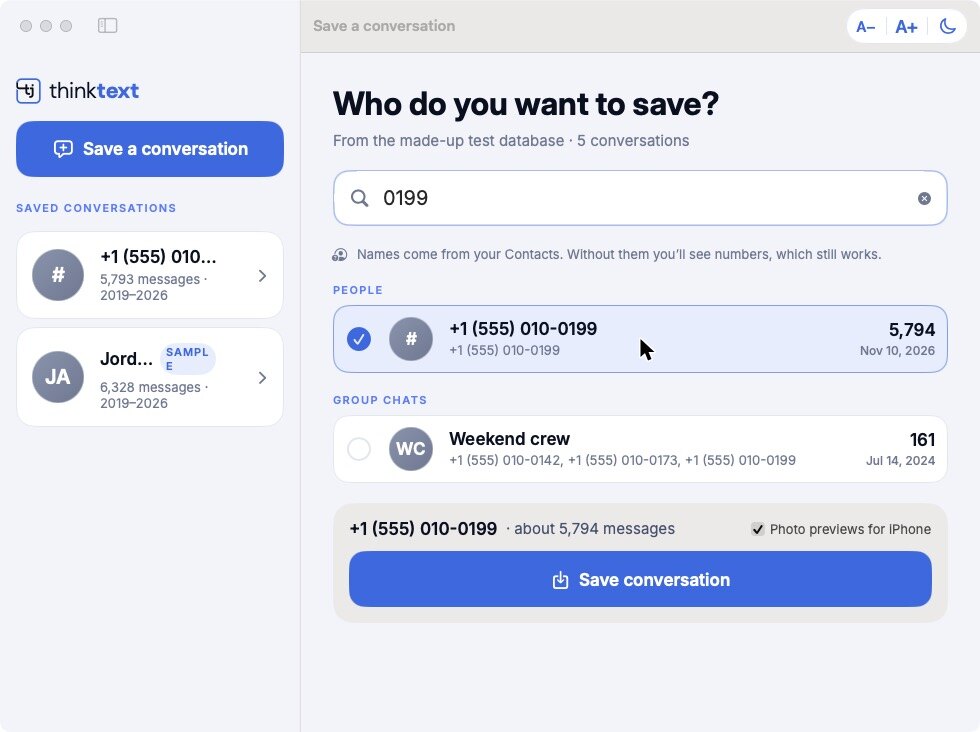
Type a name, number or email, then tick and save. If someone texted you from two numbers, tick both to keep it as one conversation.
Send it to your iPhone
One tap on AirDrop. It opens in thinktext on your iPhone and works fully offline. Only the conversations you send go to your phone.
Inside thinktext
Made to be read.
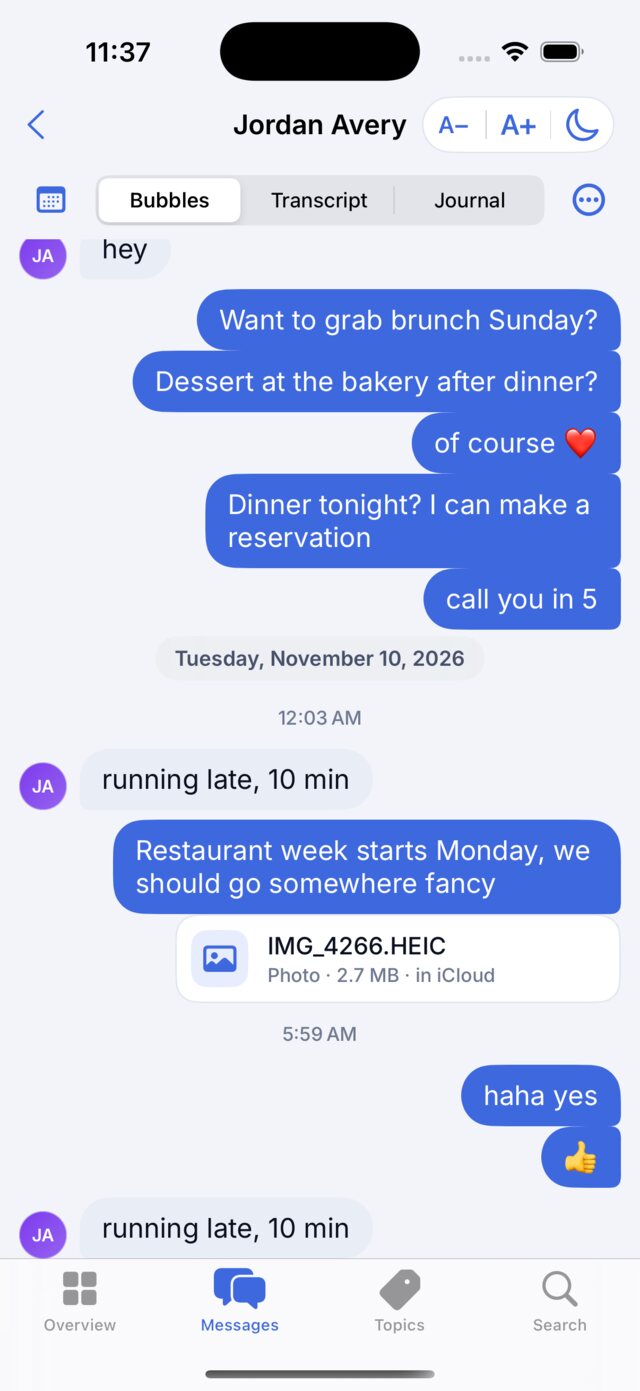
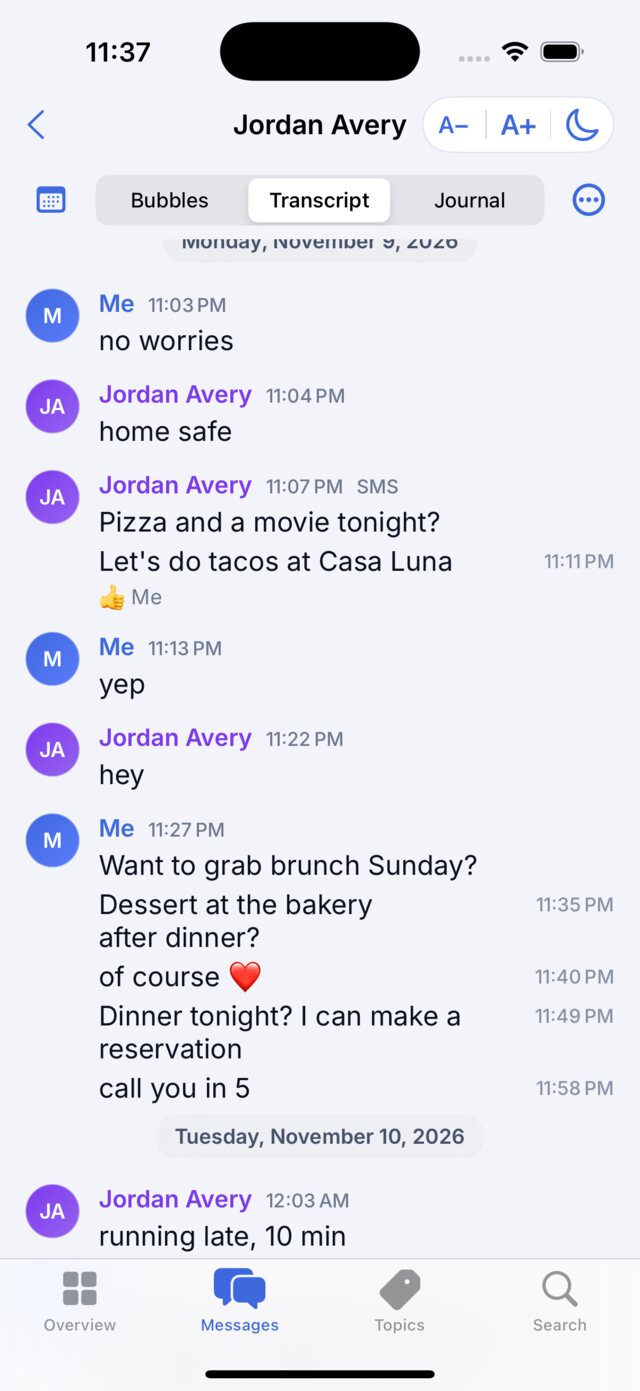
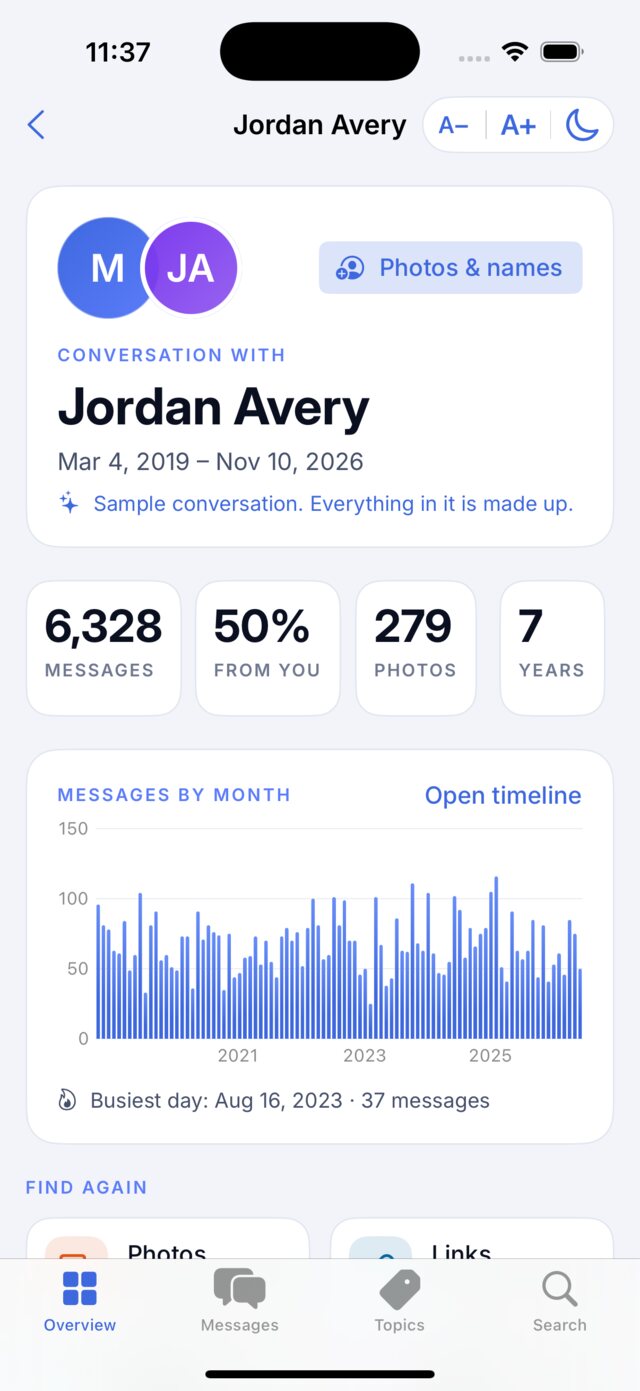
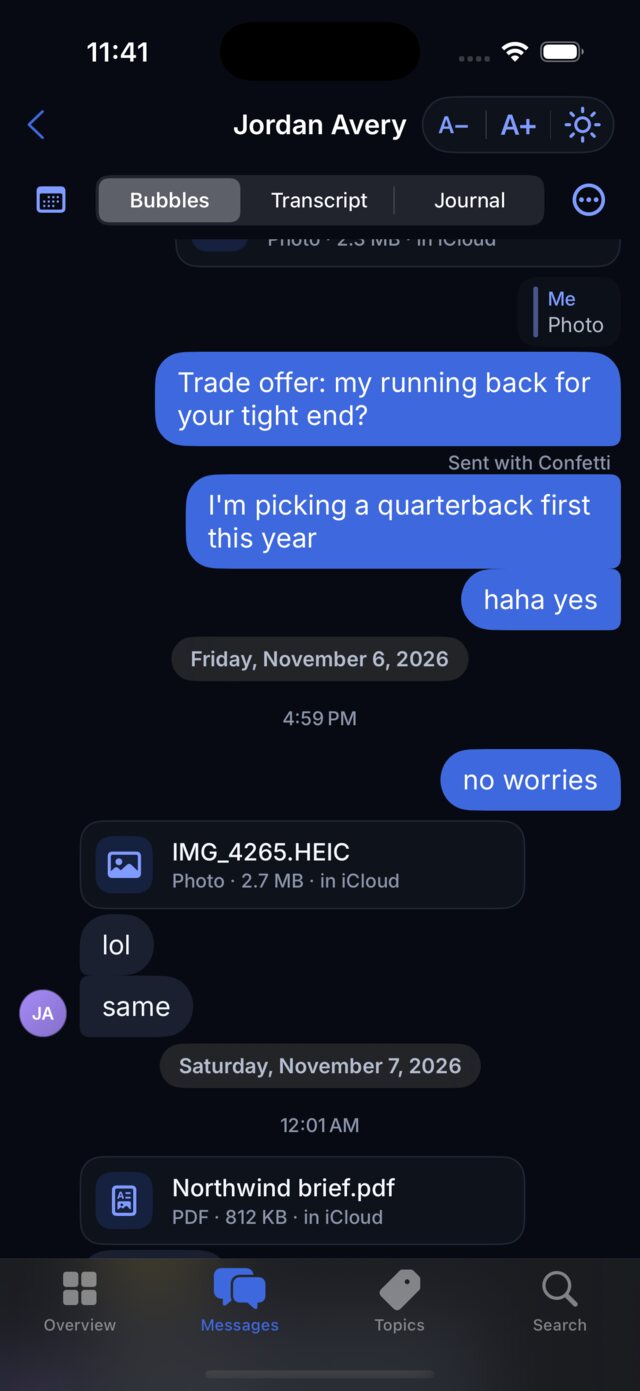
Big, clear and simple, on your iPhone and your Mac. The same three buttons sit at the top of every screen: smaller text, bigger text, and light or dark.
Read it your way.
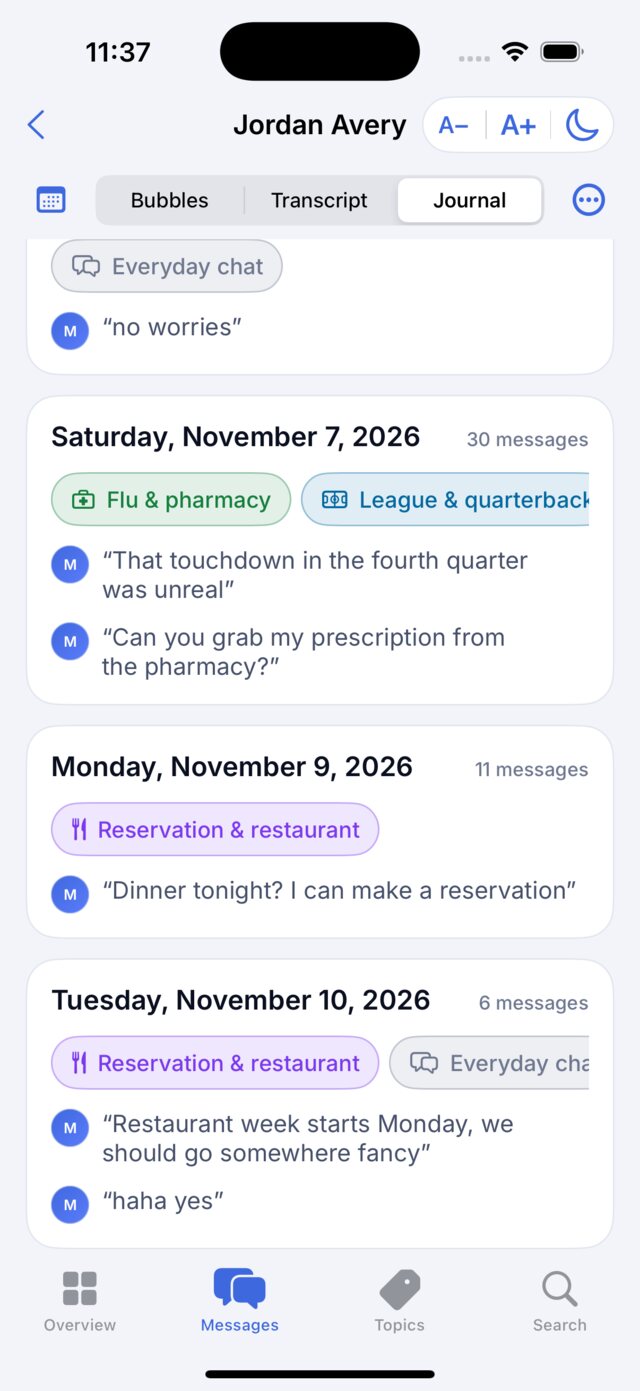
Switch between three styles at any time.
- Bubbles, just like Messages.
- Transcript: name, time and words, made for copying.
- Journal: one card per day with what it was about.
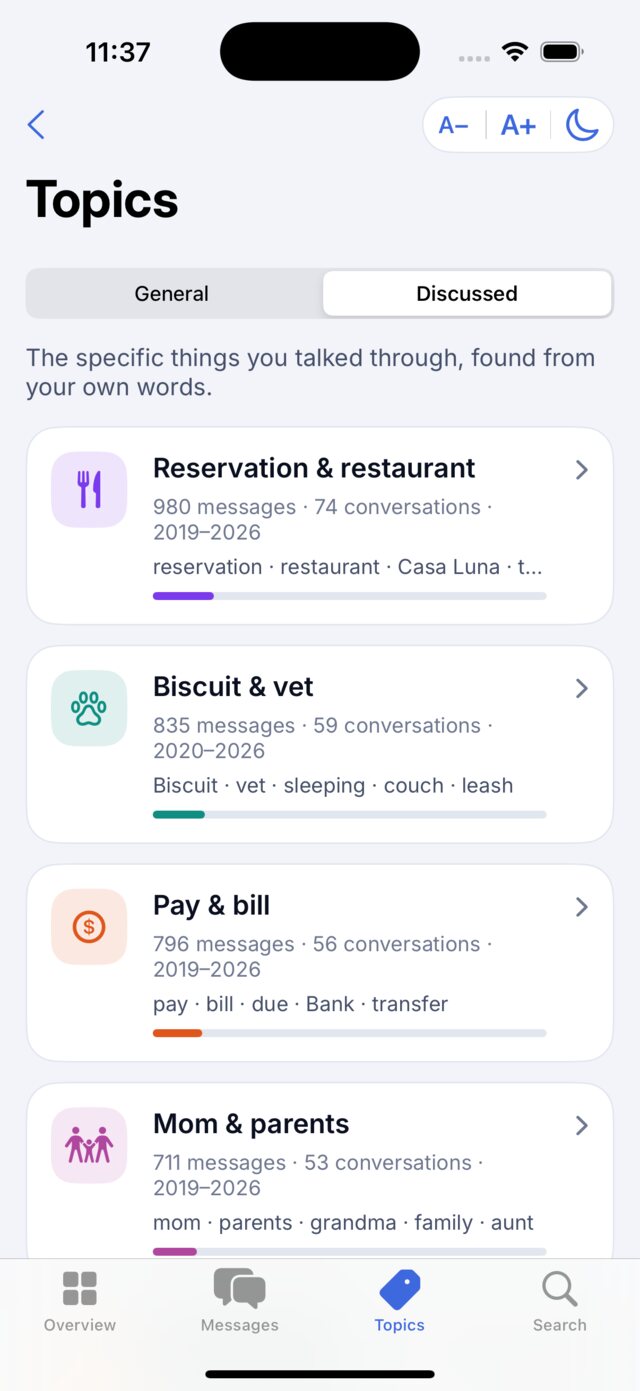
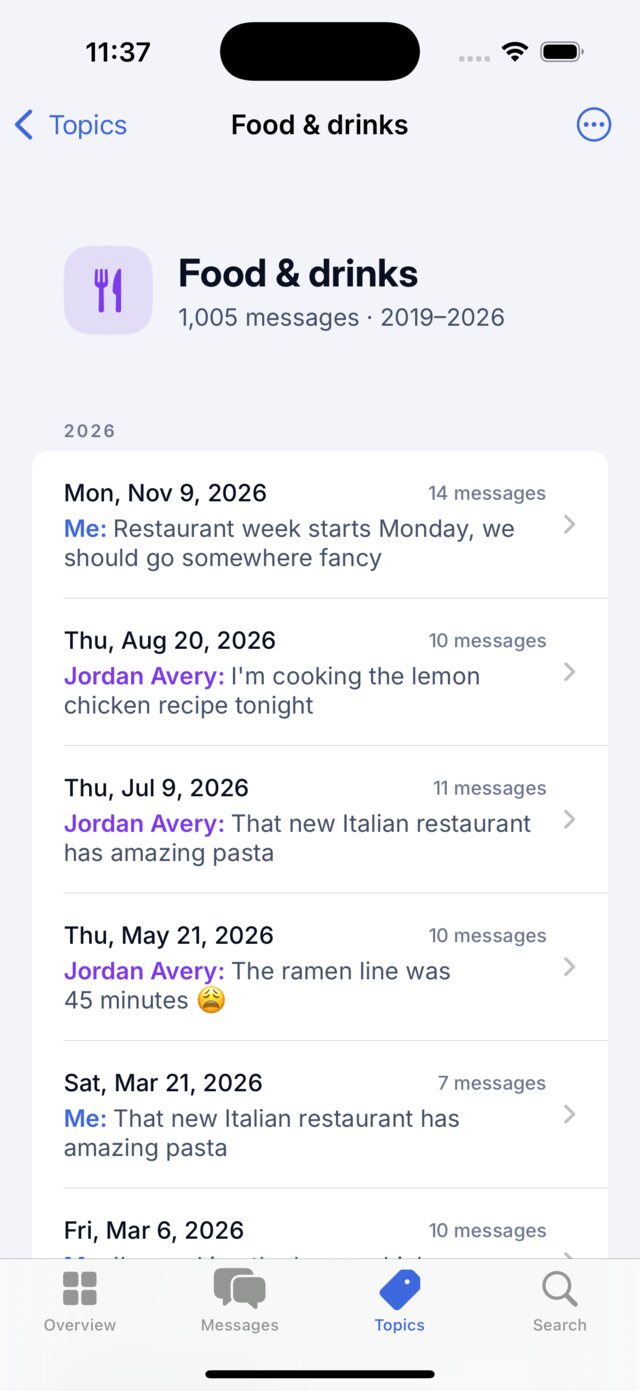
Sorted by what you talked about.
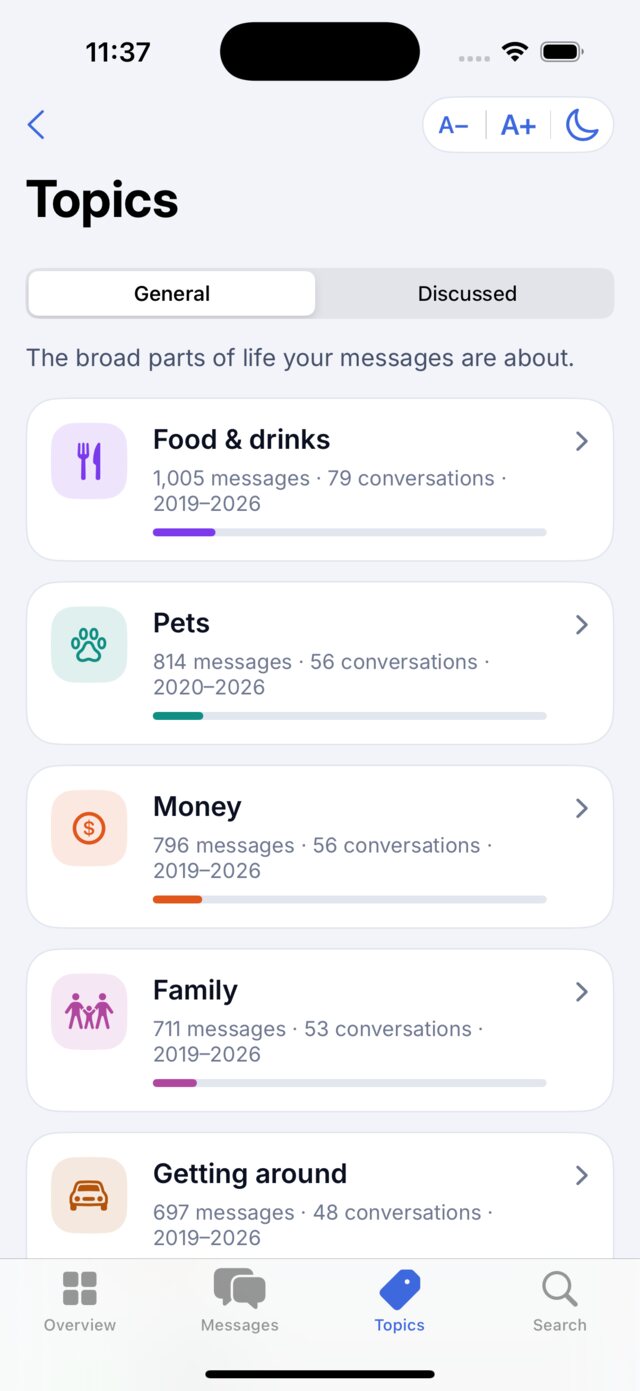
thinktext reads the conversation and groups it two ways, all on your device.
- General: the big areas, like food, family, money and work.
- Discussed: the specific things you two talked through, like a trip, a move or a project.
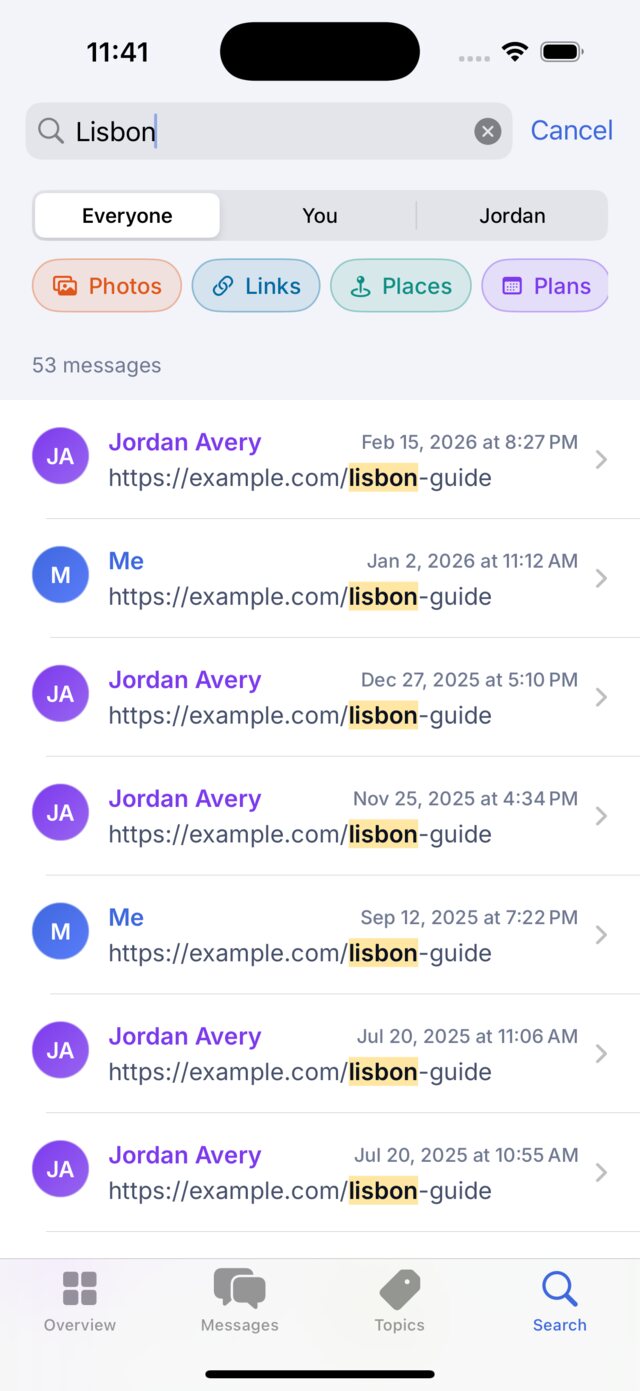
Find anything in seconds.
Search every word, name, place, link and file name. Show only your messages or only theirs, or jump straight to photos, links, places and plans.
- Tap a result to see it in the conversation.
- Jump to any month or day from the calendar.
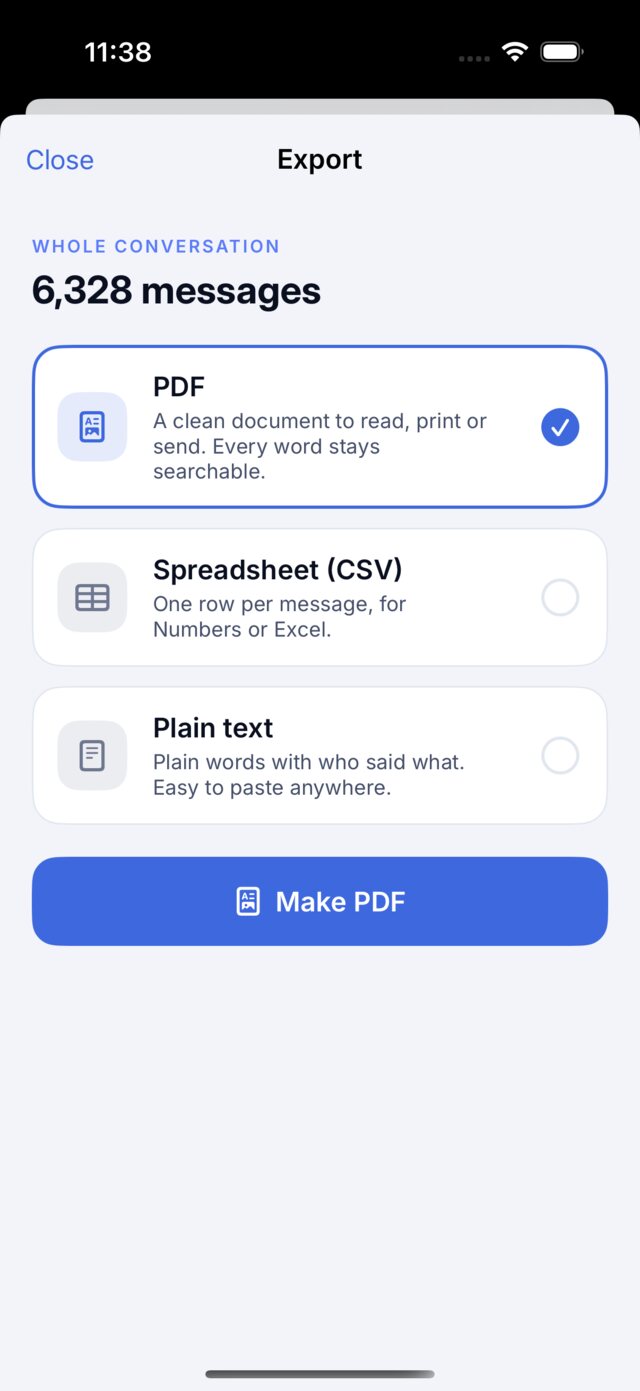
Copy it. Export it. Keep it.
Every copied line says who said it and when. Export the whole conversation, one topic or just the messages you pick.
- PDF to read, print or send.
- Spreadsheet for Numbers or Excel.
- Plain text to paste anywhere.

Easy on the eyes.
Make the text bigger or smaller with A−A+, and switch light or dark with one tap. Photos open full screen. Pinch to zoom, then save them to Photos.
Try it here
Go on, tap around.
This is thinktext, working, with a made-up conversation. Switch the style, open a topic, search every word, or save it as a file.
A made-up conversation. Nothing you do here leaves this page.
Set up
Ready in two minutes.
Start on the Mac, where your messages are. Then add your iPhone.
On your Mac
- Download for Mac, open the file, then drag thinktext into Applications.
- Open thinktext and click Get started.
- Click Open System Settings, then turn thinktext on under Full Disk Access. If your Mac asks, click Quit & Reopen.
- Type a name or number, tick the person, and click Save conversation.
On your iPhone
- Tap Download for iPhone. If asked, get Apple's free TestFlight app first.
- Tap Install, then open thinktext.
- On your Mac, open the conversation and click Send to iPhone. Choose your iPhone in AirDrop.
- It opens in thinktext. Choose full-size photos on the Mac to keep the real pictures.
Private by design
Your messages stay yours.
On your devices
No account, no cloud, no internet needed. Your Mac and iPhone talk directly through AirDrop.
Reads only
thinktext never changes, deletes or sends a message.
Smart, on device
Topics come from Apple's own on-device language engine. No AI service ever sees a word.
No ads, no tracking
Free from thinkjoin. Nothing to sign up for.
Questions
Good to know.
Why does it start on a Mac?
Apple doesn't let any iPhone app read your Messages. Your Mac keeps a copy of your iPhone's messages (with Messages in iCloud turned on), so thinktext reads them there and sends the finished conversation to your iPhone.
Which iPhones and Macs does it work on?
Any iPhone from the iPhone XS and XR (2018) on, with iOS 17 or later. Any Mac from 2018 on, with macOS 14 Sonoma or later. That includes every Apple silicon Mac.
Does anything get uploaded?
No. thinktext works without the internet. Topics, search and everything else run on your own device. Your conversations only move when you send them to your own iPhone with AirDrop.
Some photos say "in iCloud". What does that mean?
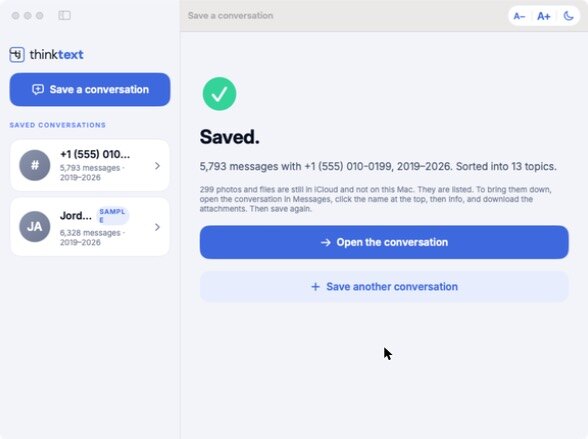
Messages keeps older photos in iCloud to save space on your Mac. To bring them down, open that conversation in Messages, click the name at the top, then Info, and download the attachments. Then save it again in thinktext.
Can I save more than one person, or a group?
Yes. Save as many conversations as you like, group chats included. If one person texted you from two numbers or an email, tick both and choose Save together as one.
Is it really free?
Yes. thinktext is a free extra from thinkjoin.